Overview
Every member has a profile that brings together their plan, training, progress, health information and your team’s notes. Open it by clicking a member anywhere in Clients, or from a check-in, message or review.
The header
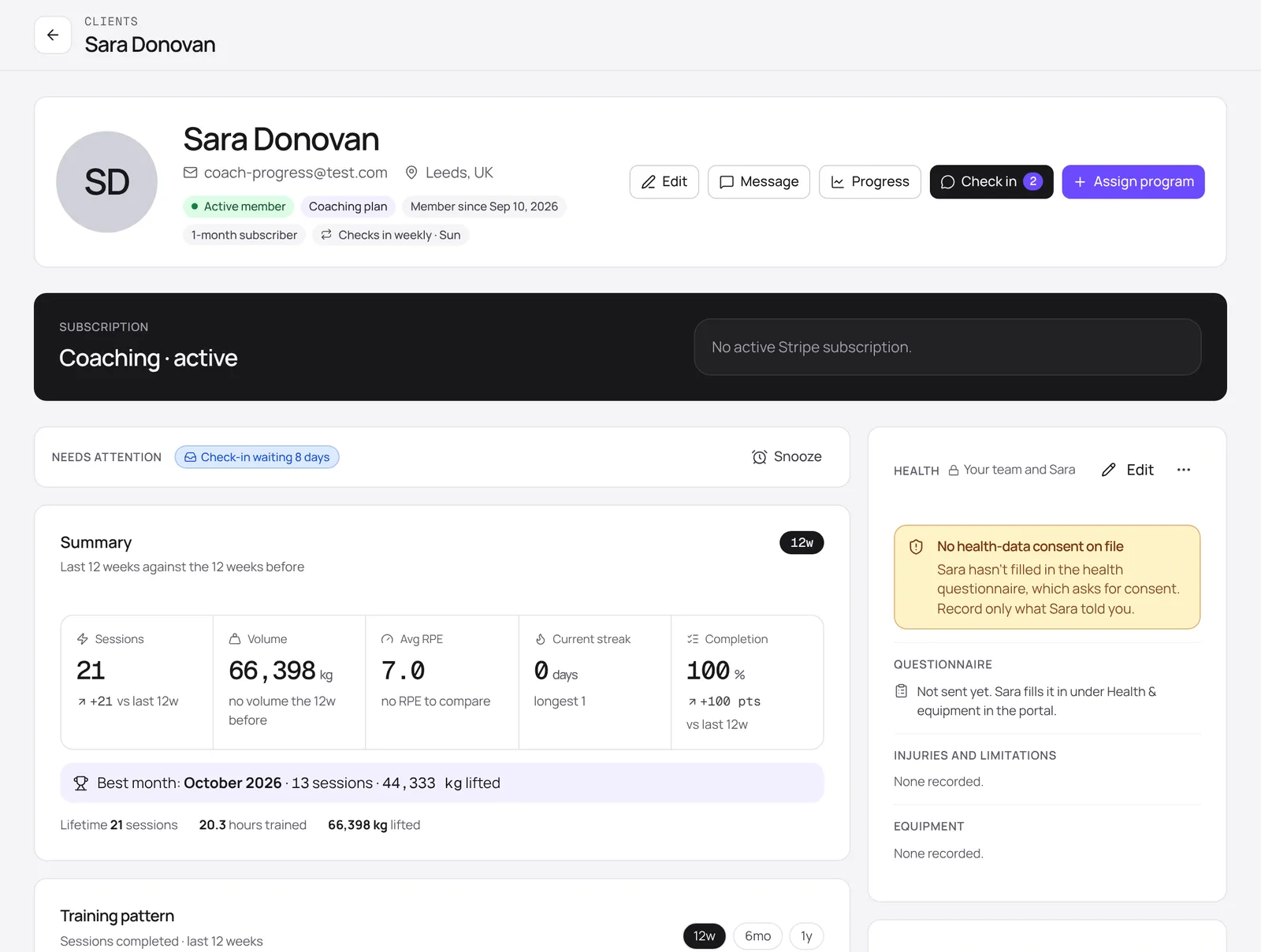
The top of the profile shows who the member is, their plan, how long they’ve been with you and their check-in schedule. The buttons along the right are the things you’ll do most:
- Edit: update their details.
- Message: open your conversation with them without leaving the page.
- Progress: their strength, volume and body charts (see below).
- Check in: their check-ins and schedule. The number shows how many are waiting for review.
- Assign program: enrol them on one of your programs.
What's on the page
- Subscription: the plan they’re on and its billing status.
- Needs attention: the same signals as the Clients list, for this member only, with Snooze for anything you’ve already dealt with.
- Summary and Training pattern: sessions, volume, average RPE, streaks and completion over the last 12 weeks, compared with the 12 weeks before.
- Health: their health questionnaire, injuries and limitations, and equipment. Only your team and the member can see this.
- Habits, goals, tags and notes: notes are for your team only and are never shown to the member.
Progress
Click Progress to see how the member is getting on. Strength charts show an estimated one-rep max for their most-trained lifts, with personal records marked. Further down are weekly training volume per muscle group, bodyweight and measurements, and progress photos if the member has shared them.
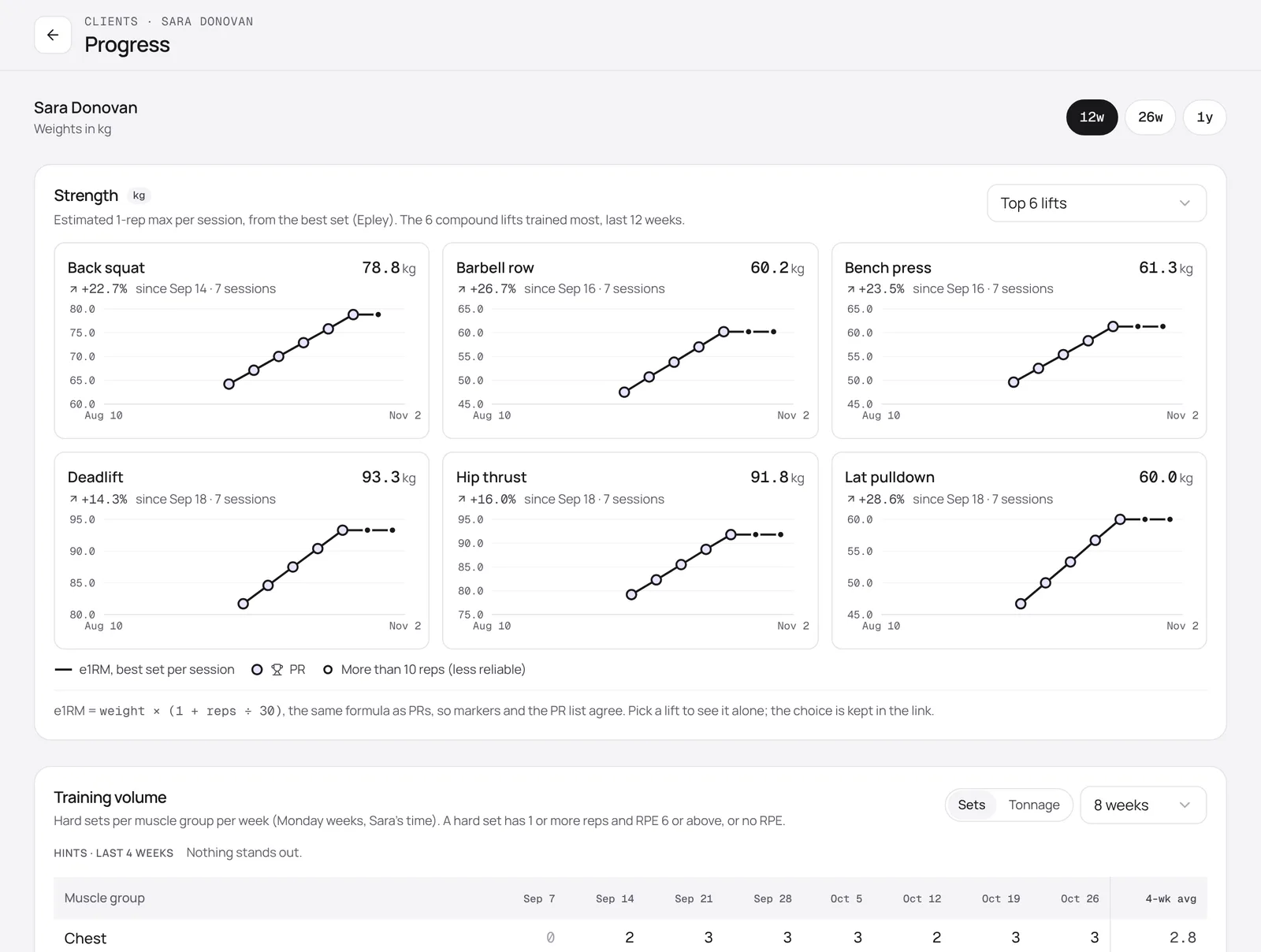
Use 12w, 26w and 1y to change the time range, and the lift picker to look at a single exercise.
Activity
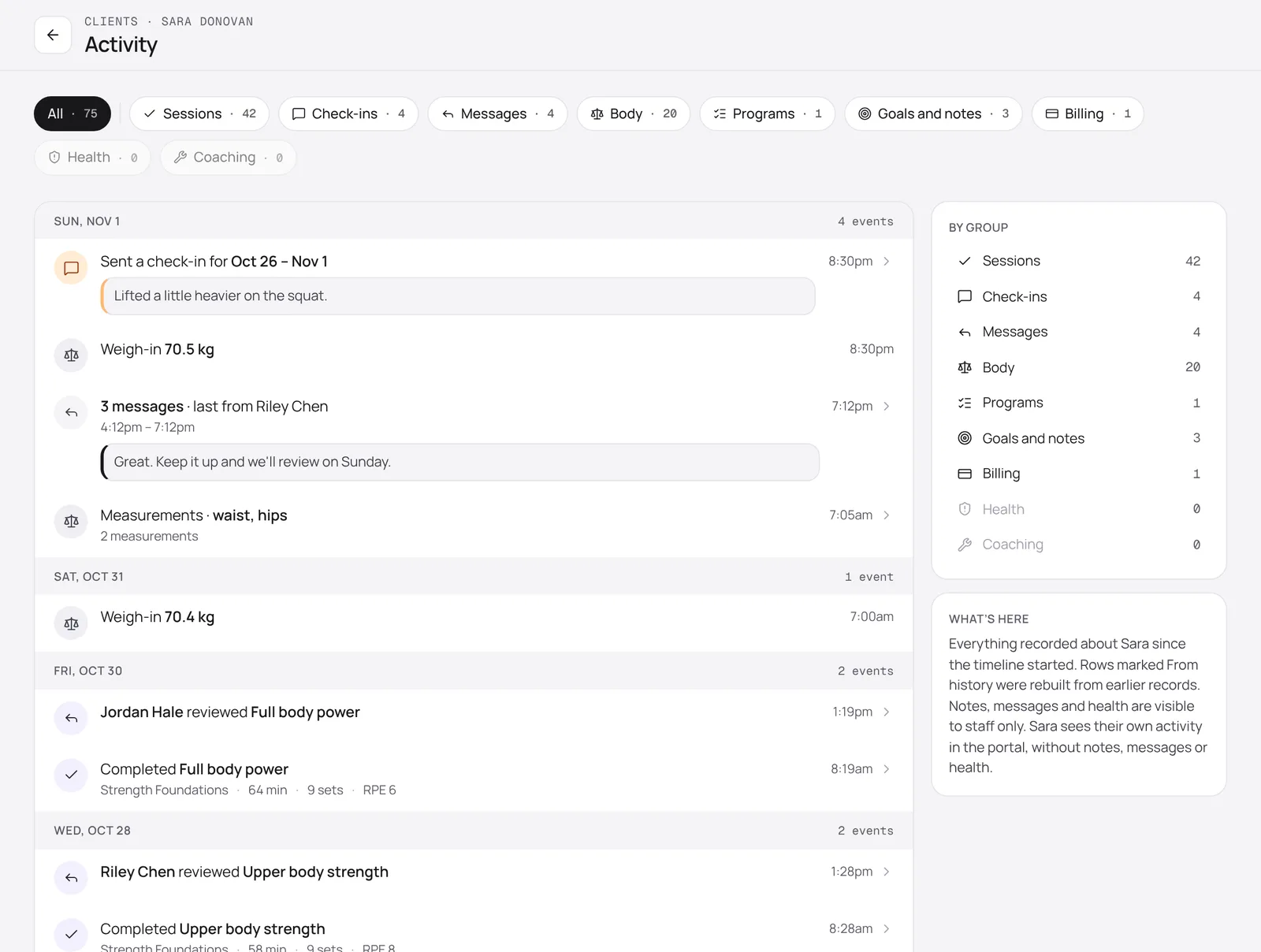
The Activity card on the profile shows the member’s latest events. Click Full log for the whole timeline, newest first: completed sessions, reviews, check-ins, messages, weigh-ins, program changes, goals and notes, and billing events. Use the chips at the top to show one kind of event.