Overview
Every time a member finishes a session, it’s logged with their sets, weights, reps and effort (RPE), plus any note they left for you. Reviewing those logs, even with a quick reaction, shows members someone is paying attention and catches problems early.
The reviews queue
Go to Clients → Reviews. It lists sessions members completed in the last 14 days that nobody on your team has reviewed yet, oldest first. The number in the sidebar is how many are waiting.
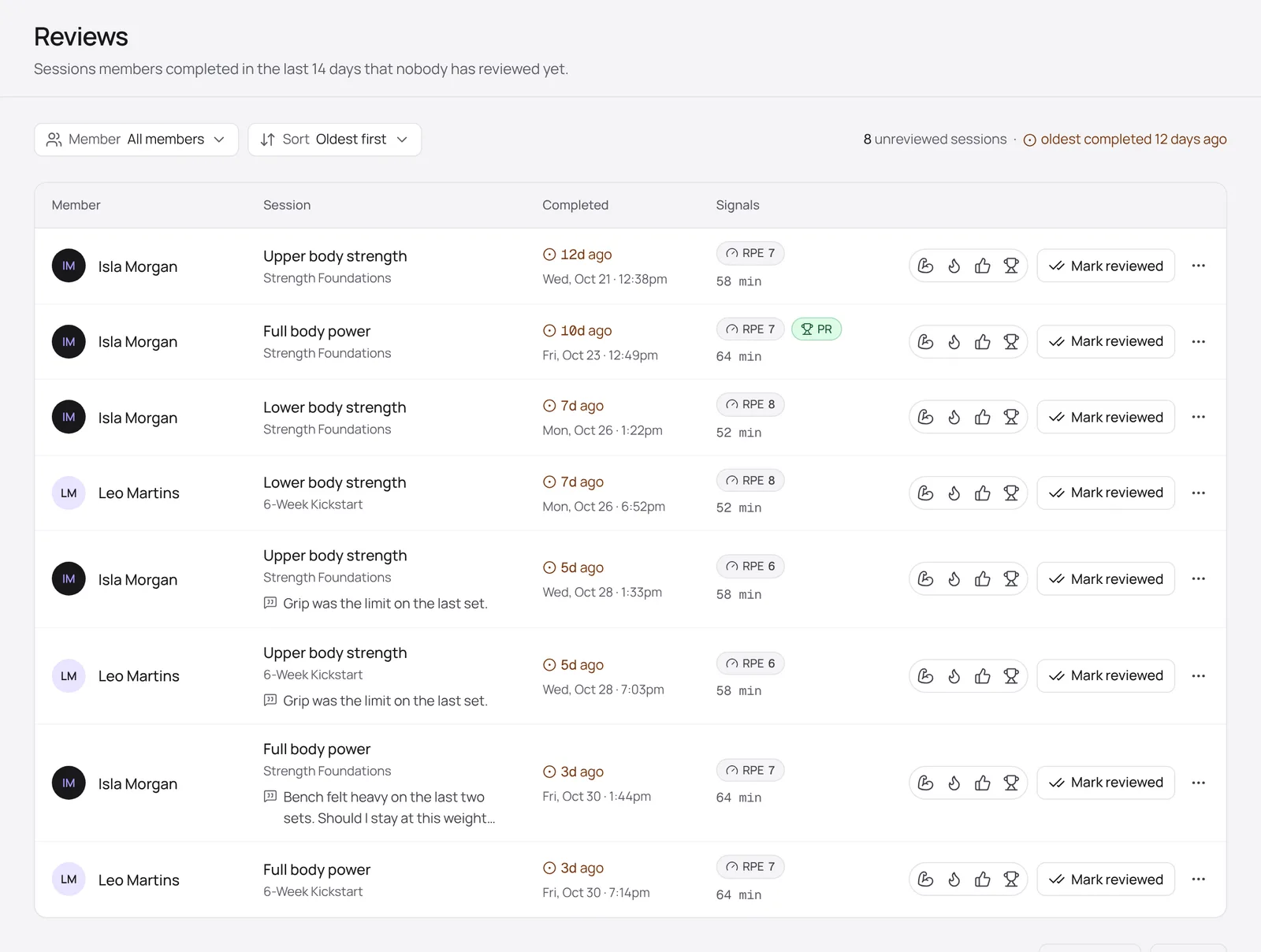
- Filter by Member, or change the Sort to see the newest first.
- Signals show the session’s RPE and duration, and a PR badge when the member set a personal record.
- Tap a reaction (strong, fire, nice or trophy) or click Mark reviewed to clear a session straight from the list.
Review a session in detail
Click a session to open the member’s session logs. You’ll see every exercise and set, the member’s note, and a Feedback area for comments.
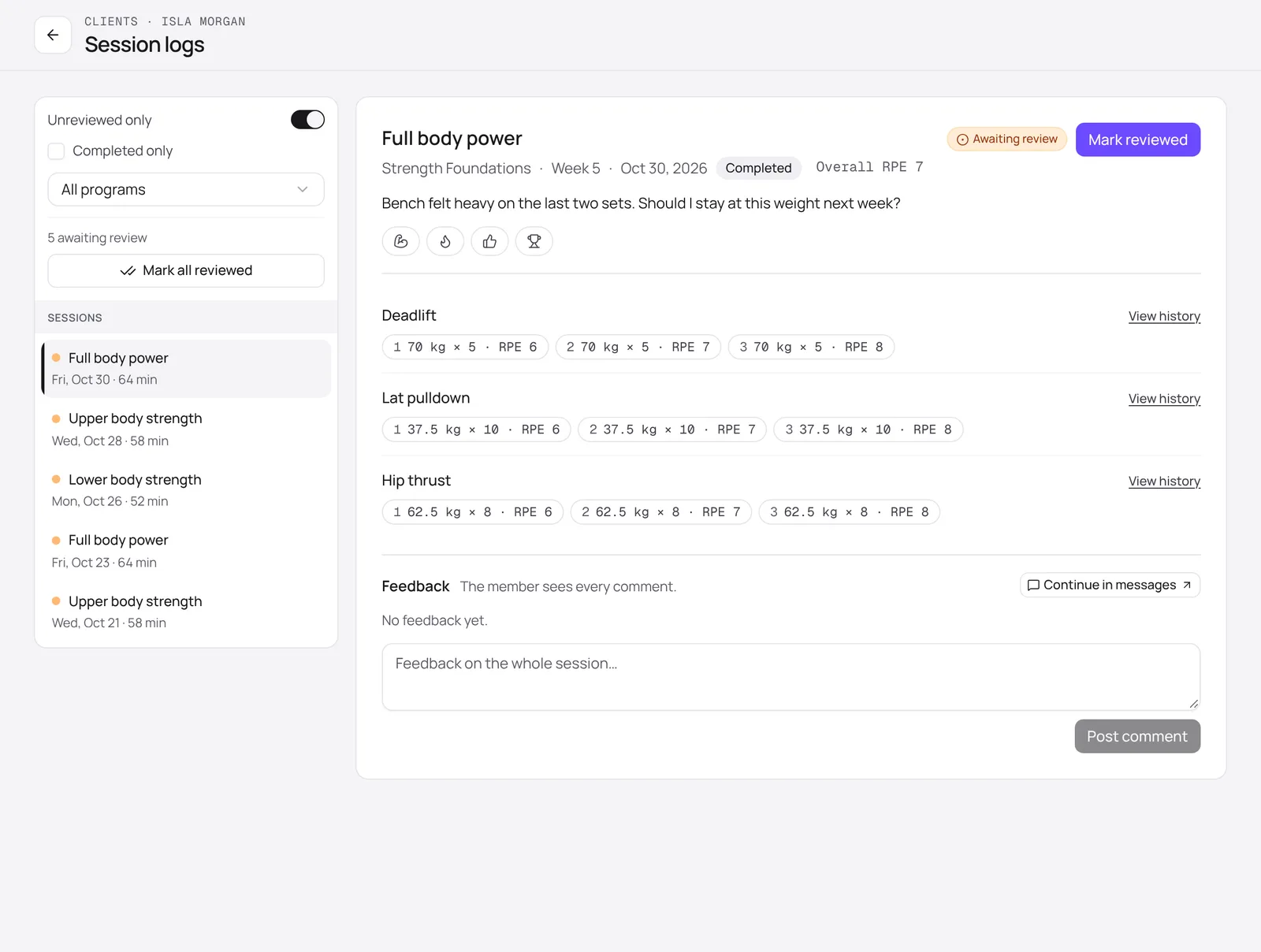
- Read through the sets. Click View history on an exercise to compare with earlier sessions.
- Write a comment under Feedback and click Post comment, or add a reaction.
- Click Mark reviewed, or Mark all reviewed on the left to clear every waiting session for this member.
Turn on Unreviewed only to hide sessions that have already been reviewed. To talk something through, Continue in messages starts a message linked to the session.
The member sees every comment and reaction. Posting a comment or a reaction also marks the session reviewed.