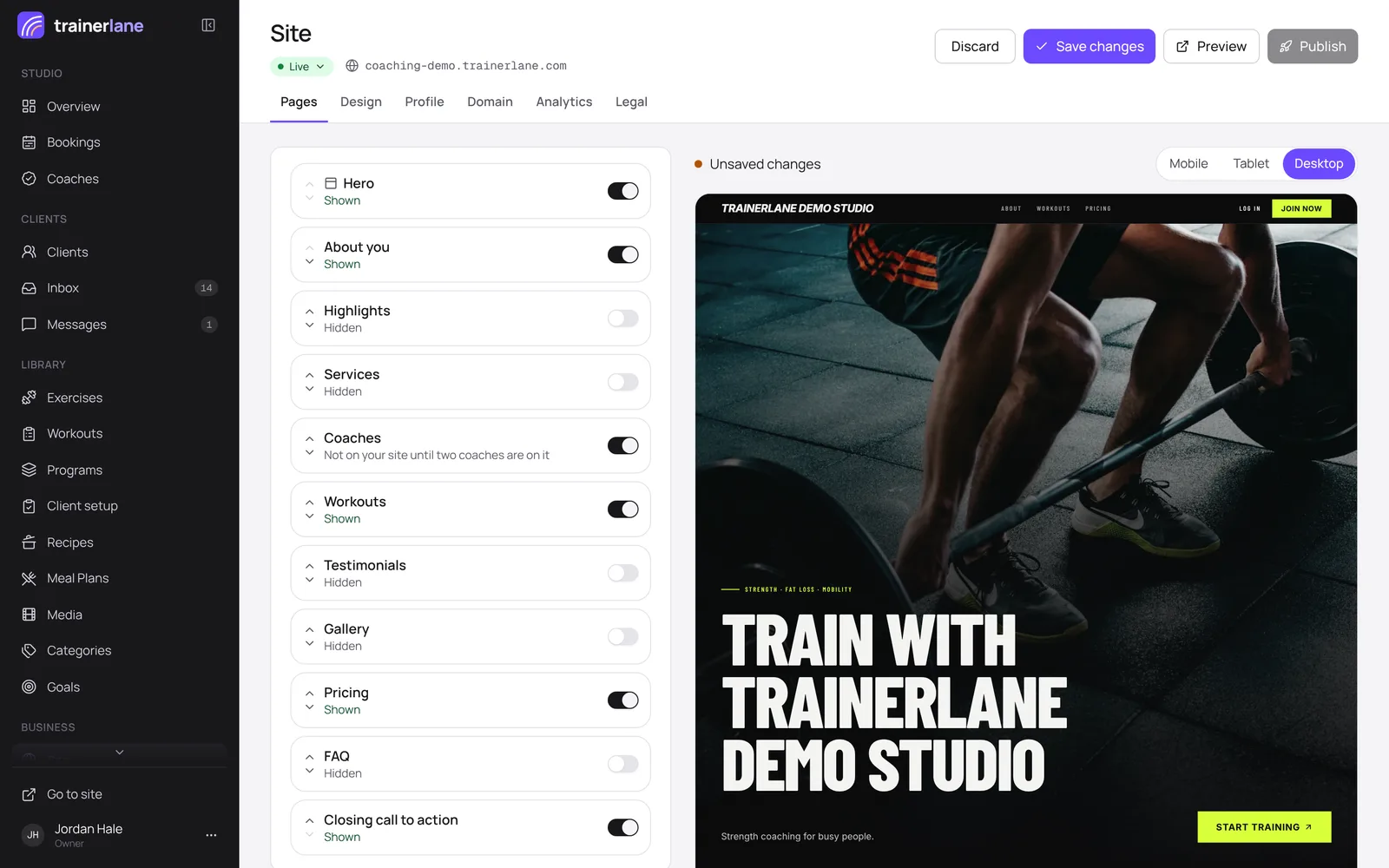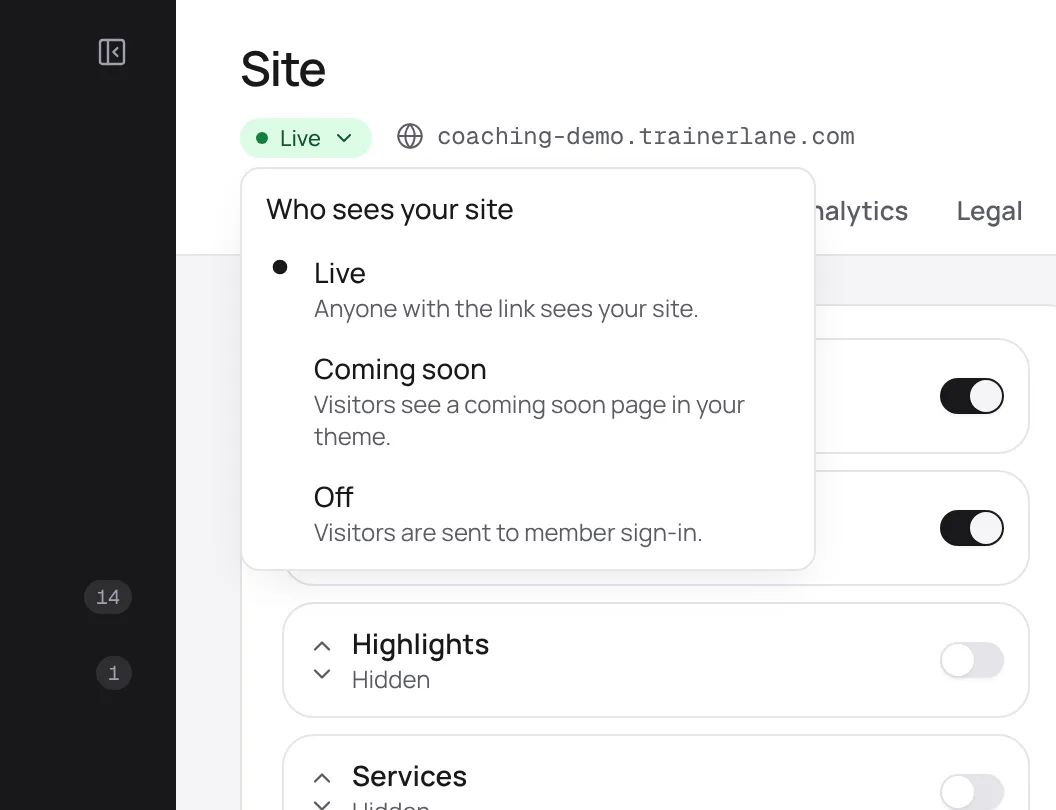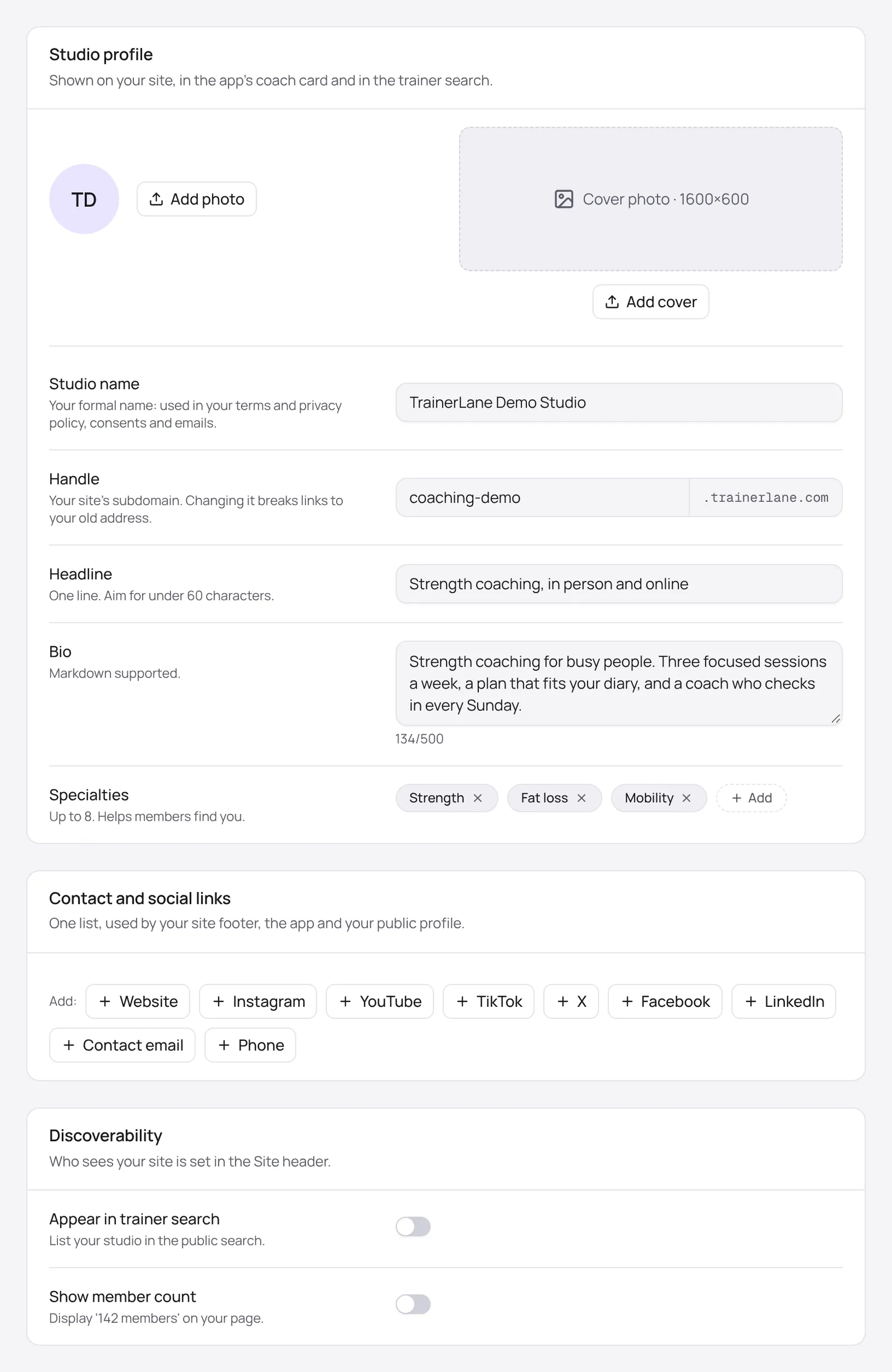
Every studio gets a website at its own trainerlane.com address. You build it under Site, in the Business part of the sidebar. The header shows who can see your site and its address, and the tabs underneath hold everything on it: Pages, Design, Profile, Domain, Analytics and Legal.

Click the pill under Site (it reads Live to begin with) and pick one. The change takes effect straight away, without publishing.

Pages lists the sections of your home page, from Hero at the top to Closing call to action at the bottom. The preview beside the list shows your page as you edit it, on a phone, tablet or desktop.
Some sections fill themselves in from the rest of your studio. Workouts lists your latest published workouts, Pricing lists your pricing plans, and Coaches lists the coaches whose profiles are on your site. Until there’s something to show, the section says so, for example Not on your site until two coaches are on it. In About you, leave Story or Portrait empty to use the bio and photo from your profile.
Changes on Pages and Design are a draft until you publish them. Visitors keep seeing the site that’s live now.
The line above the preview says where you are: Unsaved changes, Draft saved, not published yet, Live: this is what visitors see, or, before your first publish, Not published yet: visitors see your starter page. To throw a saved draft away, click Discard draft there.
Profile holds the details shown on your site, on your coach card in the TrainerLane Coach app and in the trainer search. A photo or cover saves as soon as you pick it. For everything else, click Save changes. None of it needs publishing.